
Open Settings > Security and use the Log out of all devices option. ZeroTwo logs you out of all active sessions across all devices, including the one you are using. It may take up to 30 minutes for other devices to be logged out.
Log out of all devices on the web or desktop app
- Select your name at the bottom of the sidebar to open the account menu, then choose Settings.
- Open the Security tab.
- On the Log out of all devices row, select Log out all. The button reads "Signing out..." while ZeroTwo works.
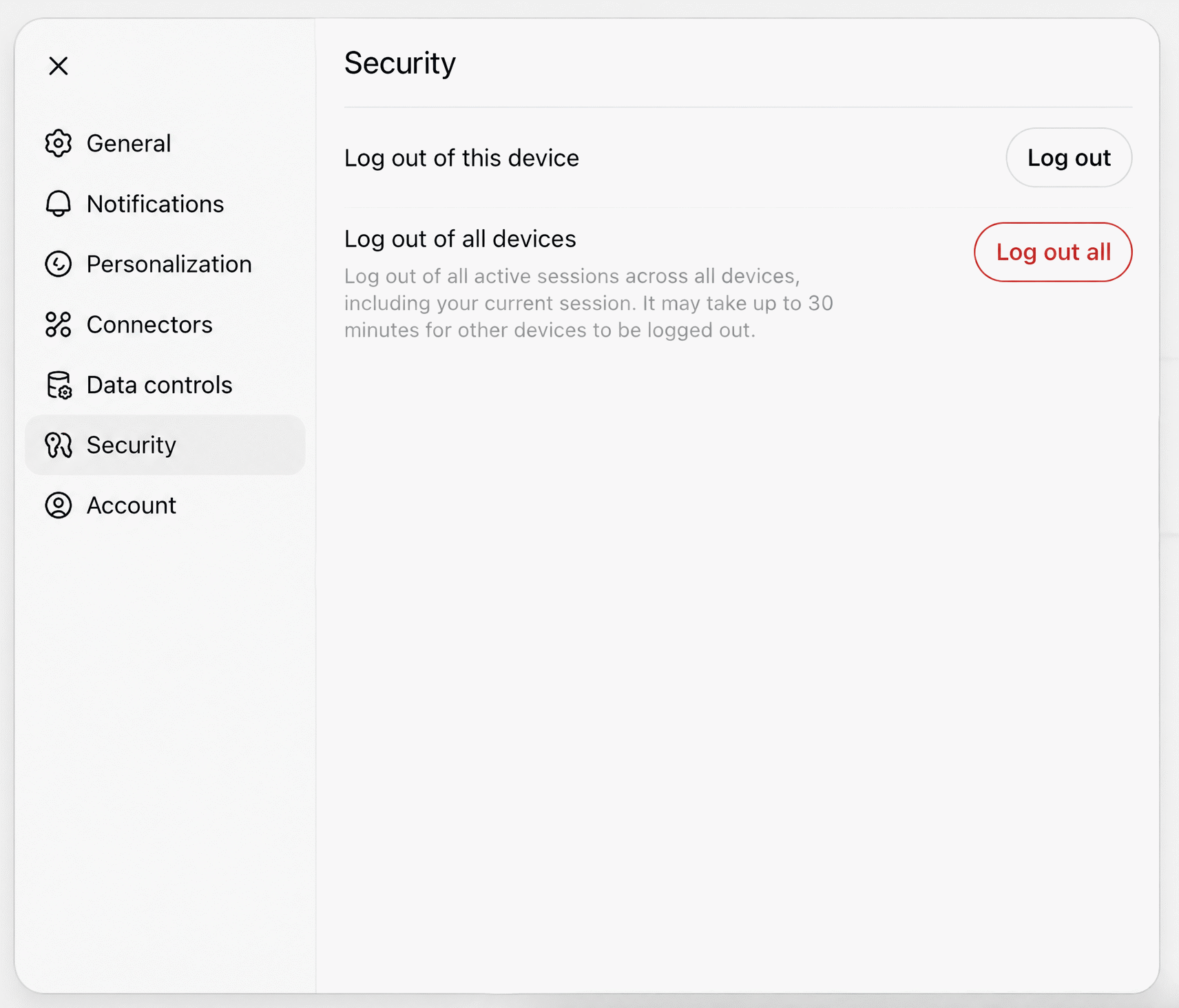
The row explains that it logs you out of all active sessions across all devices, including your current session. Because this device is signed out too, you will need to sign in again here.
Log out of all devices on iOS or Android
- Open Settings in the ZeroTwo app and choose Security.
- Under Sessions, tap Log out of all devices.
- In the "Log Out of All Devices" dialog, confirm with Log Out. The dialog also says it may take up to 30 minutes for other devices to be logged out.
On Android, if the request to sign out your other devices fails, ZeroTwo still signs this device out and then shows this on the sign-in screen: "You're signed out on this device, but we couldn't sign out your other devices. Sign in and try again from Settings → Security."
Log out of this device only
To sign out only where you are, choose Log out in the account menu on the web or desktop app, or use the Log out button on the Log out of this device row in Settings > Security. The iOS and Android Security screens have the same Log out of this device row, and on iOS the screen notes that logging out of this device keeps your other sessions signed in.
What to expect afterwards
ZeroTwo says it may take up to 30 minutes for other devices to be logged out, so another device can still appear signed in during that time. Afterwards, sign in again on each device you want to keep using.
If you are doing this because you think someone else may have access to your account, also read What should I do if I see unrecognized activity on my ZeroTwo account? and How do I turn two-factor authentication on or off in ZeroTwo?