
You can subscribe to a paid ZeroTwo plan without leaving the iPhone and iPad app. A plans sheet lets you pay by card, which Stripe processes, or with Apple, which bills you through the App Store.
Open the plans sheet
Each of these opens the same sheet, headed "Simple pricing for everyone":
- On the Free plan, open the sidebar and tap View plans on the "Do more with ZeroTwo Pro" card above your name.
- Open the sidebar, tap your name at the bottom, then choose Upgrade Plan.
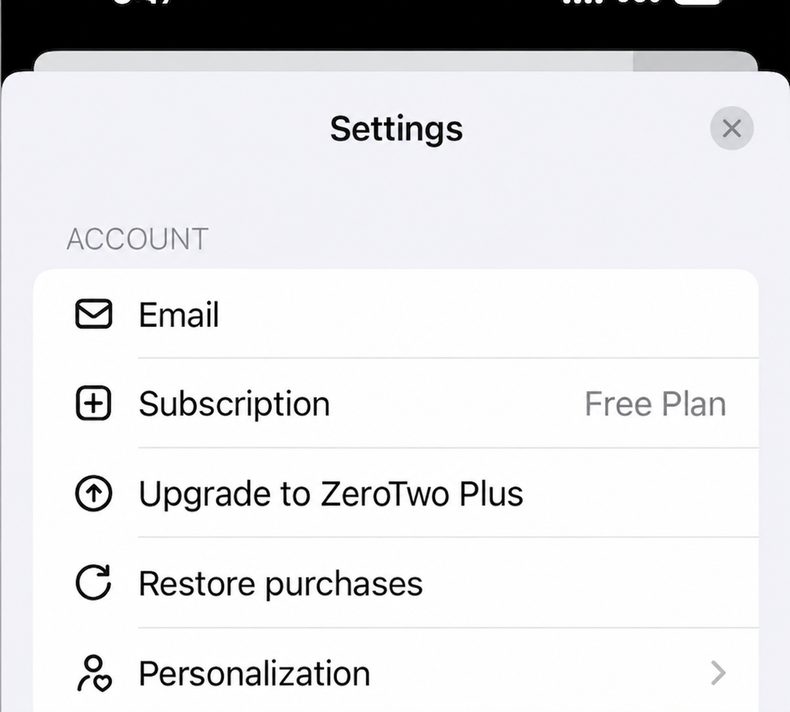
- Tap your name at the bottom of the sidebar, choose Settings, then tap Subscription in the Account group. Accounts on Free or Plus also see Upgrade to ZeroTwo Pro there.
- In Settings, open Billing and tap Compare plans.
Choose how to pay
Two switches at the top of the sheet decide what you pay and who bills you.
| Switch | Option | What it does |
|---|---|---|
| Payment | Card | Charges your card at ZeroTwo's standard web prices. Stripe processes the payment, and checkout opens in a sheet inside the app. |
| Payment | Apple | Uses Apple's in-app purchase, so the subscription is billed and managed through the App Store. The sheet explains that Apple prices are 30% higher than the web prices to cover Apple's App Store commission. |
| Billing period | Annually or Monthly | Annually shows a lower monthly rate for a plan billed once a year. Monthly bills every month. |
These are the Card prices the sheet shows. Each one is a per-month figure:
| Plan | Card, monthly | Card, annual (per month) |
|---|---|---|
| Plus | $14.99 | $11.99 |
| Pro | $29.99 | $26.99 |
| Ultra (labelled Plus Ultra on this screen) | $120 | Unavailable |
The Apple option shows higher prices: the sheet says "Apple prices are 30% higher than our web pricing to cover Apple's App Store commission." Those Apple amounts are fixed figures written into the app, and Apple's own purchase sheet is what asks you to confirm the purchase, so check the amount there before you confirm.
The sheet also lists a Business plan, which this article does not cover.
Subscribe
- Open the plans sheet.
- Choose Card or Apple, then Annually or Monthly.
- On the plan you want, tap Subscribe · Card or Subscribe · Apple. The button reads "Starting..." while ZeroTwo prepares checkout.
- Finish checkout. With Card, a checkout page opens in a sheet over the app. With Apple, the App Store's own purchase sheet appears.
- With Apple, when the purchase goes through, the sheet closes and ZeroTwo refreshes your plan.
Good to know
- The Subscribe buttons are for Free accounts. They start a purchase only while your account is on the Free plan. If you already pay for a plan, its card reads "Your Current Plan" and cards for lower plans read "Not Available". To manage the plan you have, open Settings, then Usage, and tap Manage plan. For a plan billed by Apple, this opens Apple's subscriptions page.
- Ultra is monthly only in the app. The sheet labels it Plus Ultra. With Annually selected, its price shows "Unavailable" and its button is disabled, because annual Ultra is not sold in the iPhone and iPad app. To pay for Ultra annually, subscribe on the web instead.
- If a purchase cannot start, a red message appears on the sheet, for example "Subscription products are not available right now. Please try again later." Close the sheet and try again later.
- One Apple subscription belongs to one ZeroTwo account. See Why is my Apple subscription linked to another ZeroTwo account? and, to avoid a double charge, How do I avoid paying for ZeroTwo twice?
- Credits are separate from plans. On iPhone and iPad, buying credits is offered only when your App Store region is the United States. Elsewhere, Usage says "Credit purchases are not available in your App Store region." See How do credits work in ZeroTwo?
To see what each plan adds, read What does ZeroTwo Plus include? and What do the ZeroTwo Pro and Ultra plans include?