
In the ZeroTwo desktop app, Attach appshot captures a screen or a window and attaches it to your message as a picture. You can then ask ZeroTwo about what is on your screen.
Attach an appshot
- In the message box, click + or type
@to open the menu. - Under Add, choose Attach appshot.
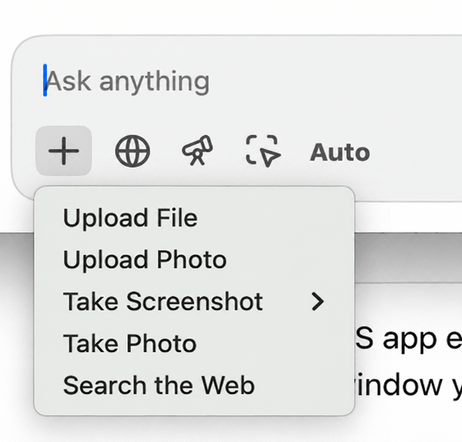
- In the Attach appshot dialog, which says "Choose a screen or window to capture and attach to your message.", click a tile. The first tile is always This app window, which is ZeroTwo itself and has no preview picture. The other tiles show a preview of each of your screens and open windows, labelled with its name.
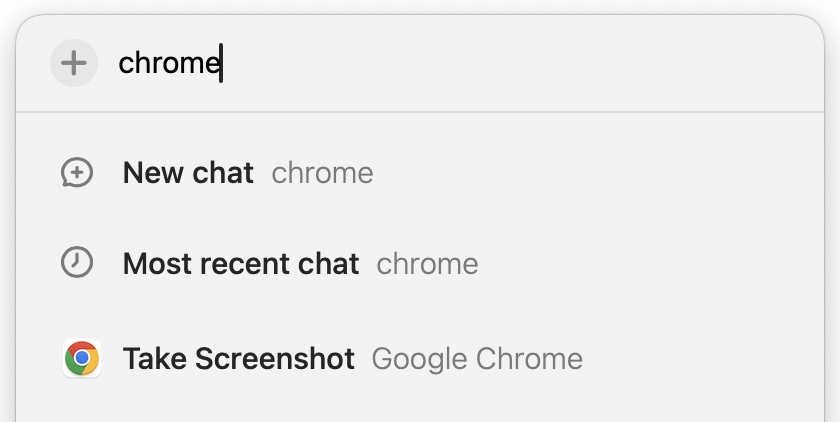
- The dialog closes, ZeroTwo takes the picture and attaches it. The file is a PNG named like
appshot-2026-10-05T12-00-00-000Z.png. - Type your question and send.
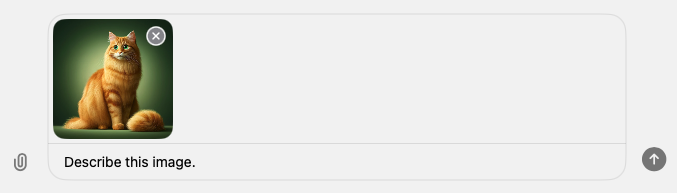
The dialog closes before the capture, so it never appears in your picture.
Allow screen recording on your Mac
This app window always works. On macOS, capturing other screens and windows needs the Screen Recording permission for ZeroTwo. When it is missing, the dialog tells you: "Grant Screen Recording permission to ZeroTwo in System Settings to capture other screens and windows."
- Open System Settings on your Mac and give ZeroTwo the Screen Recording permission.
- Open the Attach appshot dialog again and pick your screen or window.
If it does not work
- "No capturable windows found." The dialog has nothing to list. Open the window you want and try again.
- "Could not capture that source." The full message adds "Grant Screen Recording permission to ZeroTwo in System Settings and try again." Grant the permission, or capture This app window, which does not need it.
- No Attach appshot entry. It is part of the desktop app only. The web app does not offer it.
Good to know
An appshot is an ordinary attachment. It counts toward the 10 files allowed in one message and the Free plan's limit of 1 file per message, and it is saved in your Library like other attachments. For the other ways to attach, see How do I attach files and photos in the ZeroTwo desktop app on Mac?